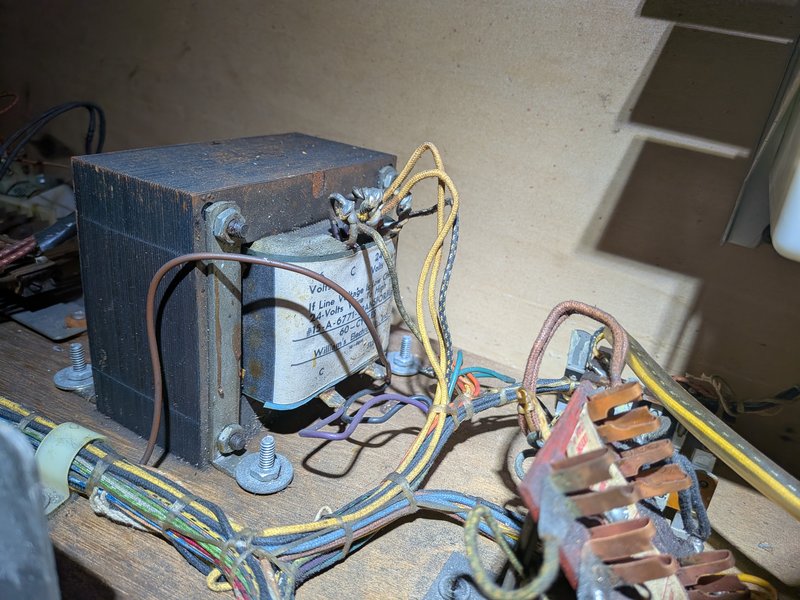
When we receive a machine, even when we’re told it’s perfect, we need to check it out and get it up to our standards. That’s usually not hard, but there are a lot of small things.
As you go through this checklist, you will find problems. If they’re obvious or if you’re going to take care of them right away, there’s no need to put them in a checklist. (But if you take care of things, make sure to mention it in the maintenance log.) For anything non-obvious that will be worked on later, put it in a to-do list.
setting it up
match the legs with the corners; shorter in front, taller in back
stand the main cabinet up on its back
attach the front two legs, making sure they’re snug
with two people, tip it forward so it’s resting on its front legs
with two people, lift up the back and and put the pinball thing under it (the long way)
with two people, attach the rear legs, making sure they’re snug
remove the pinball thing
with two people, if the backbox is separate, put it on and bolt it down, making sure that the power cord will be free to be plugged in
before powering on
clean out any loose parts and labels in cabinet and backbox, and put them in a quart ziplock labeled LOOSE PARTS
if there is a manual or other paperwork, put it in a 2-gallon ziplock
vacuum out the cabinet and backbox
check the power cord; if it is damaged, short, or ungrounded, replace it
use a multimeter to check that all 3 prongs are connected, especially the ground
check the wiring to the switch and main transformer
check that all the fuses are present and the correct values
look for damaged or burnt components
if cables have been disconnected in the move, make sure that they are all back in their proper places
look for loose/floating wires
look for wires or wire bundles that rub or are at risk of getting caught when the playfield, backbox, or coin door are opened and closed
look for loose or disconnected cables
if necessary, untangle cables
look for loose nuts, posts, etc
look for circuit board damage (e.g., burning or corrosion from batteries)
if it has batteries, replace them with fresh lithium ones
If you’re pretty confident that nothing bad will happen, you’re ready to plug it in and turn it on.
first power on
know where the fire extinguisher is
plug it in and make sure the magic smoke doesn’t come out
be ready to immediately turn it off or unplug it
turn it on; watch for sparks or crackling; smell for smoke or melting
look at
general illumination
controlled illumination
displays
initial startup cycle
If it makes it through the startup cycle in good form, you’re ready to start a game.
first game
replace the ball(s) with new ones
start the game, adding credits if needed
launch the ball and try it out
look for
smooth rolling
all flippers working and strong enough to make key shots
lights working
switches working
all active elements working
ramps and wireforms are working well (not loose, not cracked, ball moves smoothly)
correct sound (bells, chimes, audio, voice)
correct displays (all digits on all positions work, displays work well and look good)
switches properly gapped (e.g., slingshots fire correctly)
You will probably find some things to fix and adjust. Go for it. If you’re working on a solid state machine, remember to never use metal tools while the machine is on.
detail work
These will take a while, but they’re worth doing well. Dirt is a major cause of playfield wear, which we want to minimize. And it’s much easier to fix a problem now when the machine is in the workshop than later when it causes a problem for players on the floor.
thoroughly clean the playfield and playfield elements
replace any elastics that are worn or too dirty to clean
check every bulb, possibly using a self-test
if it’s an LED but the machine came with incandescents, replace it (when in doubt, use a #47)
if it’s dim or flaky, try cleaning the socket and/or replacing the bulb
replace #44s with #47s
if it’s dim and behind plastic, try cleaning both sides of the plastic and the bulb
look for loose screws, missing post caps, and other things out of spec; if needed, search for photos showing what it looks like
look for cracked or broken plastic elements; stabilize or replace
check every switch, possibly using a self test
replace at least the coin door lock with our standard lock, text up, so that when it’s locked the key slot is horizontal
if the backbox lock is in good shape, you can just hang the key(s) on a hook inside the coin door (which you can make out of wire or a paperclip if there isn’t one); otherwise, replace it with the standard one
make sure the backglass doesn’t rattle even when shaking the machine; if it does you may need to add tape or padding
make the the backglass trim, if there is any, doesn’t easily come off
check the beer seal on the lockbar and replace as needed
level the machine
settings
If you haven’t done it earlier, when appropriate makes sure the machine is set for:
standard settings (for this, it may be easiest just to leave the machine off with batteries out for 30 seconds or so)
free play
correct number of balls per game (3 for solid state, 5 for EM)
if it has a match mode, it should be on (doesn’t matter for free play, but people like it)
a reasonable volume level
correct date and time
connected to our wifi
Insider Connected activated for our account
final cleaning
Once everything internal is clean, safe, solid, and working well, it’s time for a final cleaning.
clean the legs
clean the main cabinet
clean the backbox
clean the lock bar
clean the backglass
clean the playfield glass (do both sides, and wear gloves so you don’t smudge it before putting it back)
finishing up
any significant work has been logged here or in a new log entry
 Login
Login