Godzilla

Tightened the screws holding flipper-lane plastic in place. I noticed they were shaking when pressing the left flipper button.

Photo
Blackout

Replaced post caps that were badly yellowed or were missing.
Replaced one acorn nut with a post cap
Online reference photos seem to suggest they should all be post caps, will check manual next week to confirm and then replace the rest.

Blackout

Resoldered wires connected to Red Bank targets.
While disassembling noticed one disconnected wire, and while removed the assembly another wire came loose on both ends

Photo
Blackout

Removed the bank assembly, disassembled and cleaned.
Had suspected weak springs but they were fine.
Old lubricant had hummed things up just enough for the targets to not smoothly drop.

Photo
Photo
Photo
Photo
Closed Problem: Red drop target bank not always resetuing
Aztec 0.5h ·

Tried replacing backbox lock. Can’t get the cam to latch. We should compare it with the other one.

Open Problem: # intake checklist When we receive a machine, even when we're told it's perfect, we need to check it out and get it up to our standards. That's usually not hard, but there are a lot of small things. As you go through this checklist, you will find problems. If they're obvious or if you're going to take care of them right away, there's no need to put them in a checklist. (But if you take care of things, make sure to mention it in the maintenance log.) For anything non-obvious that will be worked on later, put it in a to-do list. ## setting it up - [x] match the legs with the corners; shorter in front, taller in back - [x] stand the main cabinet up on its back - [x] attach the front two legs, making sure they're snug - [x] with two people, tip it forward so it's resting on its front legs - [x] with two people, lift up the back and and put the pinball thing under it (the long way) - [x] with two people, attach the rear legs, making sure they're snug - [x] remove the pinball thing - [ ] with two people, if the backbox is separate, put it on and bolt it down, making sure that the power cord will be free to be plugged in ## before powering on - [x] clean out any loose parts and labels in cabinet and backbox, and put them in a quart ziplock labeled LOOSE PARTS - [x] if there is a manual or other paperwork, put it in a 2-gallon ziplock - [x] vacuum out the cabinet and backbox - [x] check the power cord; if it is damaged, short, or ungrounded, replace it - [x] use a multimeter to check that all 3 prongs are connected, especially the ground - [x]check the wiring to the switch and main transformer - [ ] check that all the fuses are present and the correct values - [ ] look for damaged or burnt components - [ ] if cables have been disconnected in the move, make sure that they are all back in their proper places - [ ] look for loose/floating wires - [ ] look for wires or wire bundles that rub or are at risk of getting caught when the playfield, backbox, or coin door are opened and closed - [ ] look for loose or disconnected cables - [ ] if necessary, untangle cables - [ ] look for loose nuts, posts, etc - [ ] look for circuit board damage (e.g., burning or corrosion from batteries) - [ ] if it has batteries, replace them with fresh lithium ones If you're pretty confident that nothing bad will happen, you're ready to plug it in and turn it on. ## first power on * know where the fire extinguisher is - [x] plug it in and make sure the magic smoke doesn't come out - [x] be ready to immediately turn it off or unplug it - [x] turn it on; watch for sparks or crackling; smell for smoke or melting - [ ] look at - [x] general illumination - [ ] controlled illumination - [ ] displays - [ ] initial startup cycle If it makes it through the startup cycle in good form, you're ready to start a game. ## first game - [ ] replace the ball(s) with new ones - [ ] start the game, adding credits if needed - [ ] launch the ball and try it out - [ ] look for - [ ] smooth rolling - [ ] all flippers working and strong enough to make key shots - [ ] lights working - [ ] switches working - [ ] all active elements working - [ ] ramps and wireforms are working well (not loose, not cracked, ball moves smoothly) - [ ] correct sound (bells, chimes, audio, voice) - [ ] correct displays (all digits on all positions work, displays work well and look good) - [ ] switches properly gapped (e.g., slingshots fire correctly) You will probably find some things to fix and adjust. Go for it. If you're working on a solid state machine, remember to never use metal tools while the machine is on. ## detail work These will take a while, but they're worth doing well. Dirt is a major cause of playfield wear, which we want to minimize. And it's much easier to fix a problem now when the machine is in the workshop than later when it causes a problem for players on the floor. - [ ] thoroughly clean the playfield and playfield elements - [ ] replace any elastics that are worn or too dirty to clean - [ ] check every bulb, possibly using a self-test * if it's an LED but the machine came with incandescents, replace it (when in doubt, use a #47) * if it's dim or flaky, try cleaning the socket and/or replacing the bulb * replace #44s with #47s * if it's dim and behind plastic, try cleaning both sides of the plastic and the bulb - [ ] look for loose screws, missing post caps, and other things out of spec; if needed, search for photos showing what it looks like - [ ] look for cracked or broken plastic elements; stabilize or replace - [ ] check every switch, possibly using a self test - [x] replace at least the coin door lock with our standard lock, text up, so that when it's locked the key slot is horizontal - [ ] if the backbox lock is in good shape, you can just hang the key(s) on a hook inside the coin door (which you can make out of wire or a paperclip if there isn't one); otherwise, replace it with the standard one - [ ] make sure the backglass doesn't rattle even when shaking the machine; if it does you may need to add tape or padding - [ ] make the the backglass trim, if there is any, doesn't easily come off - [ ] check the beer seal on the lockbar and replace as needed - [ ] level the machine ## settings If you haven't done it earlier, when appropriate makes sure the machine is set for: - [ ] standard settings (for this, it may be easiest just to leave the machine off with batteries out for 30 seconds or so) - [ ] free play - [ ] correct number of balls per game (3 for solid state, 5 for EM) - [ ] if it has a match mode, it should be on (doesn't matter for free play, but people like it) - [ ] a reasonable volume level - [ ] correct date and time - [ ] connected to our wifi - [ ] Insider Connected activated for our account ## final cleaning Once everything internal is clean, safe, solid, and working well, it's time for a final cleaning. - [ ] clean the legs - [ ] clean the main cabinet - [ ] clean the backbox - [ ] clean the lock bar - [ ] clean the backglass - [ ] clean the playfield glass (do both sides, and wear gloves so you don't smudge it before putting it back) ## finishing up - [ ] any significant work has been logged here or in a new log entry - [ ] change the machine status to Good
Comet 1.5h ·

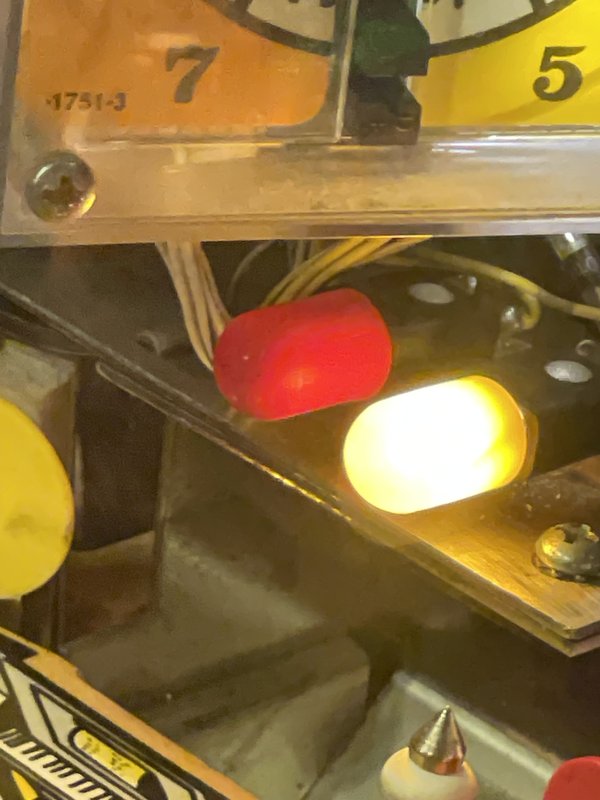
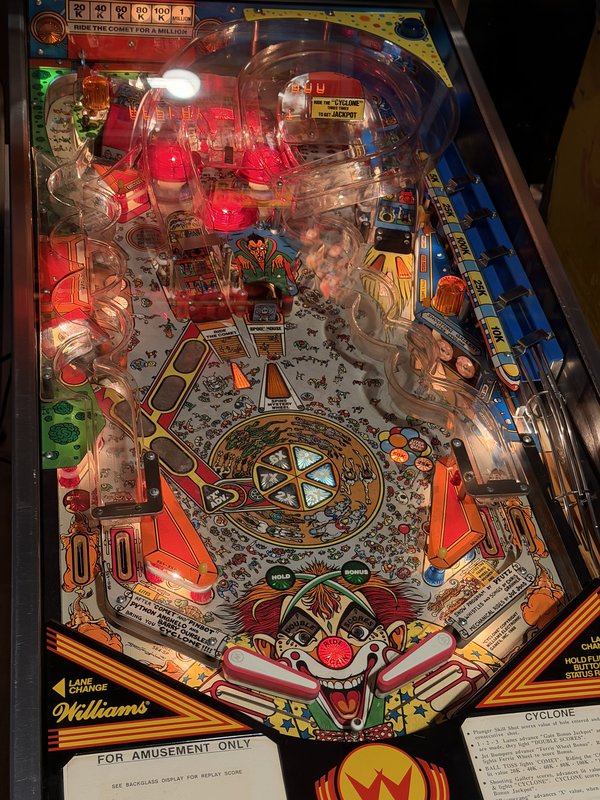
All bulbs replaced and working.
Cleaned flippers and playfield; replaced flipper elastics.
More elastics need replacing; they are on order.

Open Problem: ## Current to-do - [x] Replace back panel #63 bulbs - [x] Replace corkscrew and cyclone jump #63 bulbs When we receive a machine, even when we're told it's perfect, we need to check it out and get it up to our standards. That's usually not hard, but there are a lot of small things. As you go through this checklist, you will find problems. If they're obvious or if you're going to take care of them right away, there's no need to put them in a checklist. (But if you take care of things, make sure to mention it in the maintenance log.) For anything non-obvious that will be worked on later, put it in a to-do list. ## before powering on - [x] clean out any loose parts and labels in cabinet and backbox, and put them in a quart ziplock labeled LOOSE PARTS - [x] if there is a manual or other paperwork, put it in a 2-gallon ziplock - [x] vacuum out the cabinet and backbox - [x] check the power cord; if it is damaged, short, or ungrounded, replace it - [x] use a multimeter to check that all 3 prongs are connected, especially the ground - [x]check the wiring to the switch and main transformer - [x] check that all the fuses are present and the correct values - [x] look for damaged or burnt components - [x] if cables have been disconnected in the move, make sure that they are all back in their proper places - [x] look for loose/floating wires - [x] look for wires or wire bundles that rub or are at risk of getting caught when the playfield, backbox, or coin door are opened and closed - [x] look for loose or disconnected cables - [x] if necessary, untangle cables - [x] look for loose nuts, posts, etc - [x] look for circuit board damage (e.g., burning or corrosion from batteries) - [x] if it has batteries, replace them with fresh lithium ones If you're pretty confident that nothing bad will happen, you're ready to plug it in and turn it on. ## first power on * know where the fire extinguisher is - [x] plug it in and make sure the magic smoke doesn't come out - [x] be ready to immediately turn it off or unplug it - [x] turn it on; watch for sparks or crackling; smell for smoke or melting - [x] look at - [x] general illumination - [x] controlled illumination - [x] displays - [x] initial startup cycle If it makes it through the startup cycle in good form, you're ready to start a game. ## first game - [x] replace the ball(s) with new ones - [x] start the game, adding credits if needed - [x] launch the ball and try it out - [x] look for - [x] smooth rolling - [x] all flippers working and strong enough to make key shots - [x] lights working - [x] switches working - [x] all active elements working - [x] ramps and wireforms are working well (not loose, not cracked, ball moves smoothly) - [x] correct sound (bells, chimes, audio, voice) - [x] correct displays (all digits on all positions work, displays work well and look good) - [x] switches properly gapped (e.g., slingshots fire correctly) You will probably find some things to fix and adjust. Go for it. If you're working on a solid state machine, remember to never use metal tools while the machine is on. ## detail work These will take a while, but they're worth doing well. Dirt is a major cause of playfield wear, which we want to minimize. And it's much easier to fix a problem now when the machine is in the workshop than later when it causes a problem for players on the floor. - [x] thoroughly clean the playfield and playfield elements - [ ] replace any elastics that are worn or too dirty to clean - [x] check every bulb, possibly using a self-test * if it's an LED but the machine came with incandescents, replace it (when in doubt, use a #47) * if it's dim or flaky, try cleaning the socket and/or replacing the bulb * replace #44s with #47s * if it's dim and behind plastic, try cleaning both sides of the plastic and the bulb - [x] look for loose screws, missing post caps, and other things out of spec; if needed, search for photos showing what it looks like - [x] look for cracked or broken plastic elements; stabilize or replace - [ ] check every switch, possibly using a self test - [x] replace at least the coin door lock with our standard lock, text up, so that when it's locked the key slot is horizontal - [x] if the backbox lock is in good shape, you can just hang the key(s) on a hook inside the coin door (which you can make out of wire or a paperclip if there isn't one); otherwise, replace it with the standard one - [ ] make sure the backglass doesn't rattle even when shaking the machine; if it does you may need to add tape or padding - [ ] make the the backglass trim, if there is any, doesn't easily come off - [ ] check the beer seal on the lockbar and replace as needed - [ ] level the machine ## settings If you haven't done it earlier, when appropriate makes sure the machine is set for: - [x] standard settings (for this, it may be easiest just to leave the machine off with batteries out for 30 seconds or so) - [x] free play - [x] correct number of balls per game (3 for solid state, 5 for EM) - [x] if it has a match mode, it should be on (doesn't matter for free play, but people like it) - [x] a reasonable volume level - [x] correct date and time - [x] connected to our wifi - [x] Insider Connected activated for our account ## final cleaning Once everything internal is clean, safe, solid, and working well, it's time for a final cleaning. - [ ] clean the legs - [ ] clean the main cabinet - [ ] clean the backbox - [ ] clean the lock bar - [ ] clean the backglass - [ ] clean the playfield glass (do both sides, and wear gloves so you don't smudge it before putting it back) ## finishing up - [ ] any significant work has been logged here or in a new log entry - [ ] change the machine status to Good
Comet 3h ·

Replaced 5 capacitors (22 uf) associated with the sling and pop bumper solenoids.

Ben and william

Godzilla 1h ·

Tightened fastners on the switch in the cenet of the lock bar that the button engages.

Ben & Drew

Closed Problem: Action button stopped working
Aztec 1.5h ·

Repaired circuit diagrams. Replaced fuses with correct values and labeled them. Put backbox on and connected Jones plugs. Powered it up, no smoke. Attempted to start a game with no luck. The problem might be the game over relay, but we want to compare it to the other Aztec to see so we’re setting it aside for now.

Open Problem: # intake checklist When we receive a machine, even when we're told it's perfect, we need to check it out and get it up to our standards. That's usually not hard, but there are a lot of small things. As you go through this checklist, you will find problems. If they're obvious or if you're going to take care of them right away, there's no need to put them in a checklist. (But if you take care of things, make sure to mention it in the maintenance log.) For anything non-obvious that will be worked on later, put it in a to-do list. ## setting it up - [x] match the legs with the corners; shorter in front, taller in back - [x] stand the main cabinet up on its back - [x] attach the front two legs, making sure they're snug - [x] with two people, tip it forward so it's resting on its front legs - [x] with two people, lift up the back and and put the pinball thing under it (the long way) - [x] with two people, attach the rear legs, making sure they're snug - [x] remove the pinball thing - [ ] with two people, if the backbox is separate, put it on and bolt it down, making sure that the power cord will be free to be plugged in ## before powering on - [x] clean out any loose parts and labels in cabinet and backbox, and put them in a quart ziplock labeled LOOSE PARTS - [x] if there is a manual or other paperwork, put it in a 2-gallon ziplock - [x] vacuum out the cabinet and backbox - [x] check the power cord; if it is damaged, short, or ungrounded, replace it - [x] use a multimeter to check that all 3 prongs are connected, especially the ground - [x]check the wiring to the switch and main transformer - [ ] check that all the fuses are present and the correct values - [ ] look for damaged or burnt components - [ ] if cables have been disconnected in the move, make sure that they are all back in their proper places - [ ] look for loose/floating wires - [ ] look for wires or wire bundles that rub or are at risk of getting caught when the playfield, backbox, or coin door are opened and closed - [ ] look for loose or disconnected cables - [ ] if necessary, untangle cables - [ ] look for loose nuts, posts, etc - [ ] look for circuit board damage (e.g., burning or corrosion from batteries) - [ ] if it has batteries, replace them with fresh lithium ones If you're pretty confident that nothing bad will happen, you're ready to plug it in and turn it on. ## first power on * know where the fire extinguisher is - [x] plug it in and make sure the magic smoke doesn't come out - [x] be ready to immediately turn it off or unplug it - [x] turn it on; watch for sparks or crackling; smell for smoke or melting - [ ] look at - [x] general illumination - [ ] controlled illumination - [ ] displays - [ ] initial startup cycle If it makes it through the startup cycle in good form, you're ready to start a game. ## first game - [ ] replace the ball(s) with new ones - [ ] start the game, adding credits if needed - [ ] launch the ball and try it out - [ ] look for - [ ] smooth rolling - [ ] all flippers working and strong enough to make key shots - [ ] lights working - [ ] switches working - [ ] all active elements working - [ ] ramps and wireforms are working well (not loose, not cracked, ball moves smoothly) - [ ] correct sound (bells, chimes, audio, voice) - [ ] correct displays (all digits on all positions work, displays work well and look good) - [ ] switches properly gapped (e.g., slingshots fire correctly) You will probably find some things to fix and adjust. Go for it. If you're working on a solid state machine, remember to never use metal tools while the machine is on. ## detail work These will take a while, but they're worth doing well. Dirt is a major cause of playfield wear, which we want to minimize. And it's much easier to fix a problem now when the machine is in the workshop than later when it causes a problem for players on the floor. - [ ] thoroughly clean the playfield and playfield elements - [ ] replace any elastics that are worn or too dirty to clean - [ ] check every bulb, possibly using a self-test * if it's an LED but the machine came with incandescents, replace it (when in doubt, use a #47) * if it's dim or flaky, try cleaning the socket and/or replacing the bulb * replace #44s with #47s * if it's dim and behind plastic, try cleaning both sides of the plastic and the bulb - [ ] look for loose screws, missing post caps, and other things out of spec; if needed, search for photos showing what it looks like - [ ] look for cracked or broken plastic elements; stabilize or replace - [ ] check every switch, possibly using a self test - [x] replace at least the coin door lock with our standard lock, text up, so that when it's locked the key slot is horizontal - [ ] if the backbox lock is in good shape, you can just hang the key(s) on a hook inside the coin door (which you can make out of wire or a paperclip if there isn't one); otherwise, replace it with the standard one - [ ] make sure the backglass doesn't rattle even when shaking the machine; if it does you may need to add tape or padding - [ ] make the the backglass trim, if there is any, doesn't easily come off - [ ] check the beer seal on the lockbar and replace as needed - [ ] level the machine ## settings If you haven't done it earlier, when appropriate makes sure the machine is set for: - [ ] standard settings (for this, it may be easiest just to leave the machine off with batteries out for 30 seconds or so) - [ ] free play - [ ] correct number of balls per game (3 for solid state, 5 for EM) - [ ] if it has a match mode, it should be on (doesn't matter for free play, but people like it) - [ ] a reasonable volume level - [ ] correct date and time - [ ] connected to our wifi - [ ] Insider Connected activated for our account ## final cleaning Once everything internal is clean, safe, solid, and working well, it's time for a final cleaning. - [ ] clean the legs - [ ] clean the main cabinet - [ ] clean the backbox - [ ] clean the lock bar - [ ] clean the backglass - [ ] clean the playfield glass (do both sides, and wear gloves so you don't smudge it before putting it back) ## finishing up - [ ] any significant work has been logged here or in a new log entry - [ ] change the machine status to Good